

Target Personas: Administrator, End User
Who It Applies To
- Members without a second factor lose access to the organisation straight away, until they set one up. Their other organisations are not affected
- Members who sign in through your organisation’s single sign-on already count as having a second factor
- People from other organisations working in yours, such as contractors, are held to your setting too
- Service accounts are not affected
Before You Switch It On
You must have signed in with two-factor authentication or single sign-on yourself. If you have not, the Security page explains this and will not let you switch the requirement on, so you cannot lock yourself out.Step-by-Step Guide
Require Two-Factor Authentication
- Log in to https://console.ctrl-hub.com
- Navigate to Admin > Identity and Access > Security
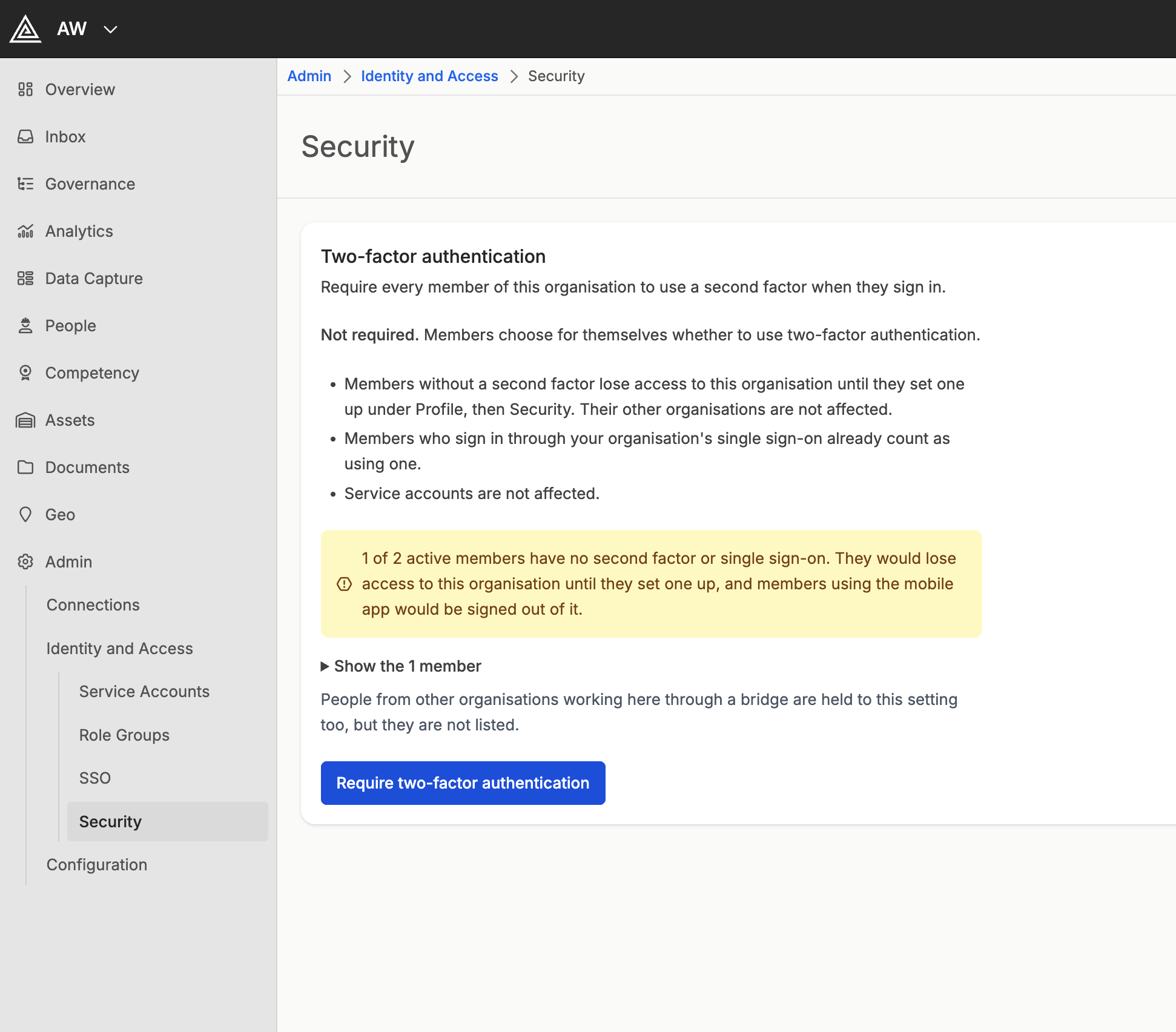
- Check the warning, which says how many active members have no second factor or single sign-on. Expand the list under it, for example Show the 3 members, to see who they are
- Select Require two-factor authentication
- Read the confirmation, which names the first few members affected, and select Require it
Stop Requiring It
- Navigate to Admin > Identity and Access > Security
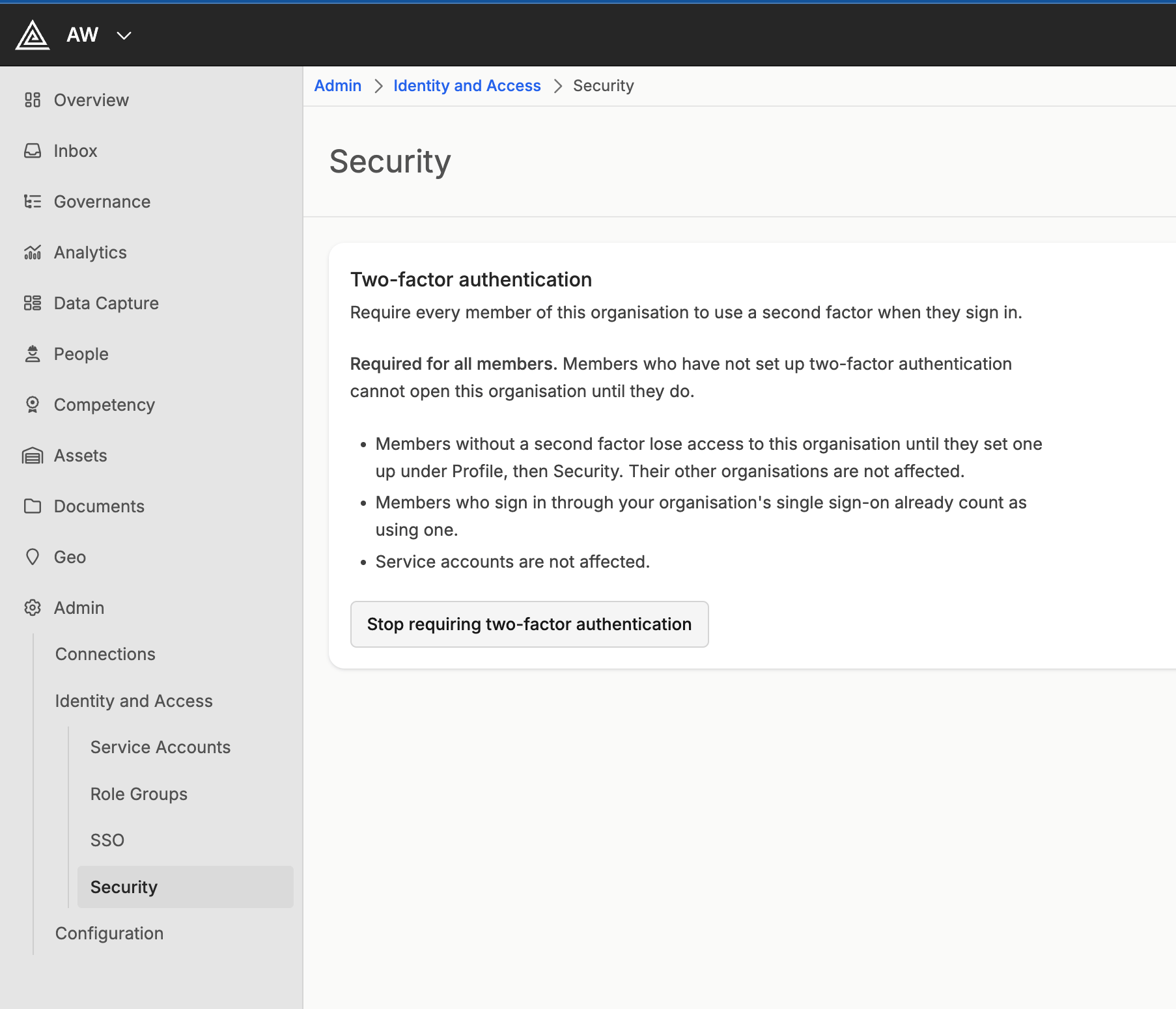
- Select Stop requiring two-factor authentication
- Select Stop requiring it
What a Member Without It Sees
On the web, opening the organisation takes the member to their Security page, with a message that the organisation requires two-factor authentication. Once they have turned it on, they select Continue to the organisation. If the page then says the organisation still needs this sign-in to use their authenticator app, they turned it on during a sign-in that did not use it. They sign out, then sign in again with a code from the app. On the mobile app, the member sees the screen below instead of their work. They turn on two-factor authentication on the web, then select I have set it up. Anything they submitted stays on the phone and is sent once they are let back in. Switch organisation opens one of their other organisations in the meantime.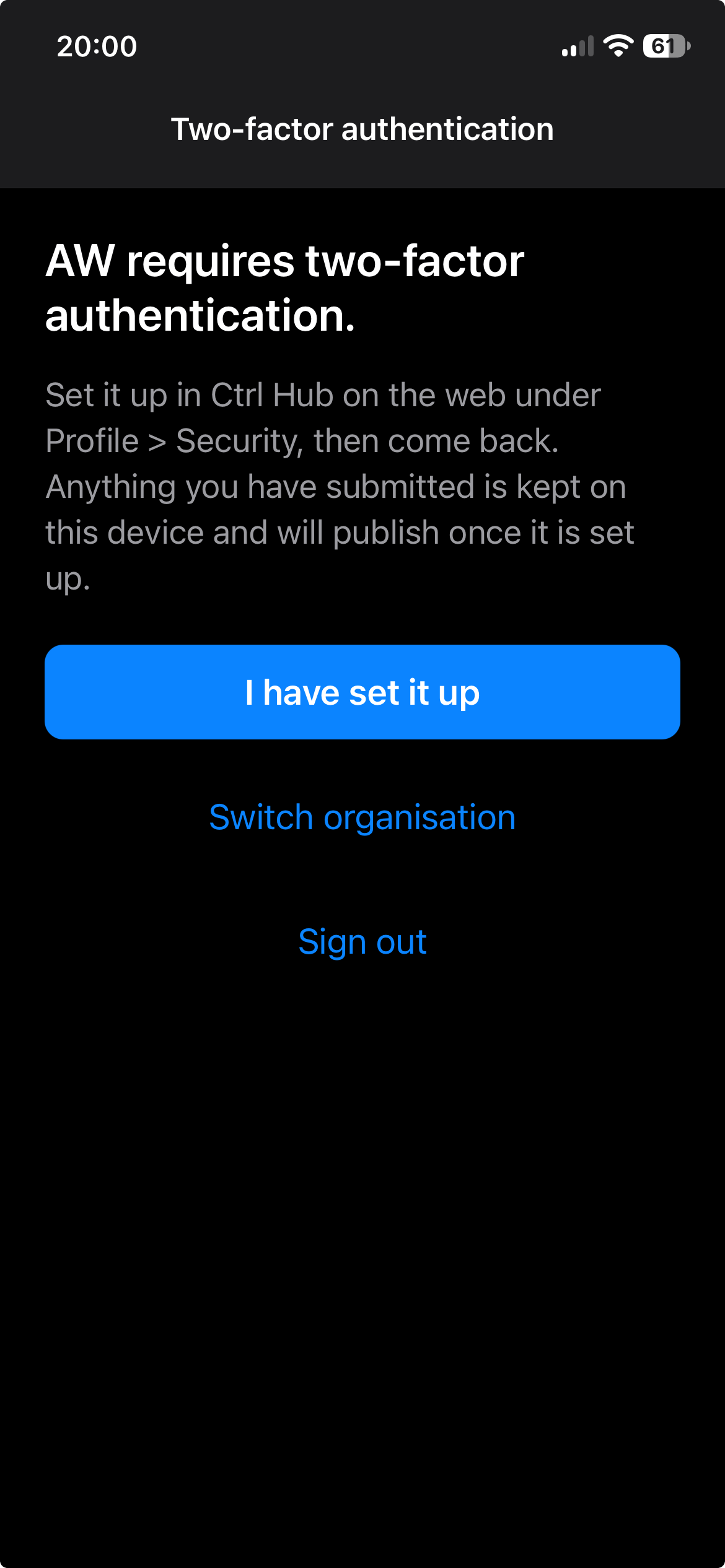
Need Help?
Can’t find what you’re looking for? Contact our support team.